Standardize recurring starts
Turn scattered files, folders, websites, reports, apps, and scripts into repeatable launch routines.
Applied Process Computing, LLC
Veteran Owned & Operated
A different kind of
software company.
The Engineer
The Engineer helps organizations make recurring computer-based work more consistent, predictable, and less dependent on memory.
For teams and individuals who start the same reports, folders, files, websites, scripts, and tools again and again, The Engineer provides one local Windows workspace for starting recurring work more consistently.
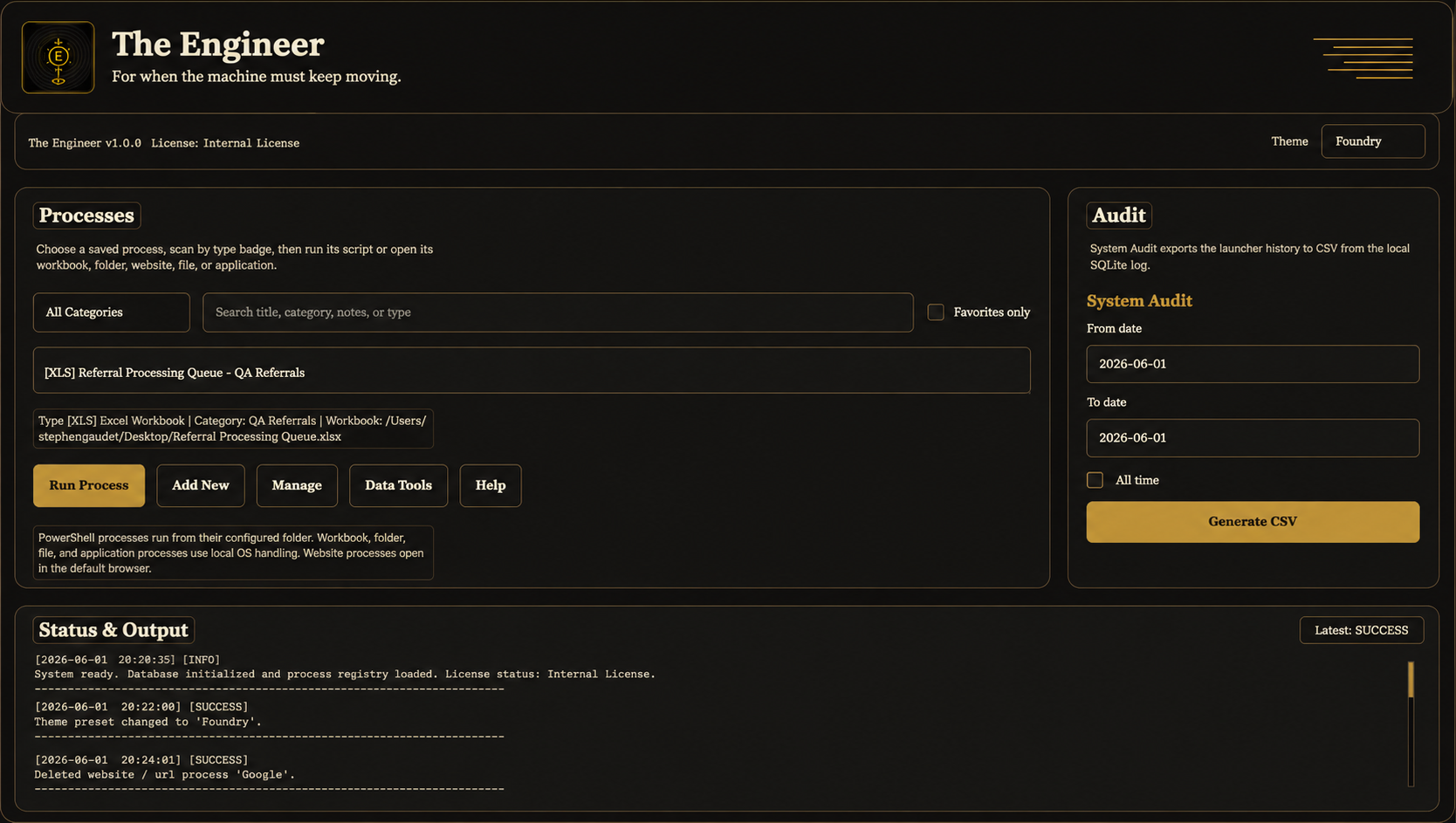
What The Engineer does
Turn scattered files, folders, websites, reports, apps, and scripts into repeatable launch routines.
Help staff start recurring work from the same controlled place instead of rebuilding the sequence from memory.
Use categories, favorites, notes, and search/filter tools to make repeated office work easier to follow and hand off.
Launch shortcuts, PowerShell scripts, Excel workbooks, folders, files, websites / URLs, apps, and tools from one local workspace.
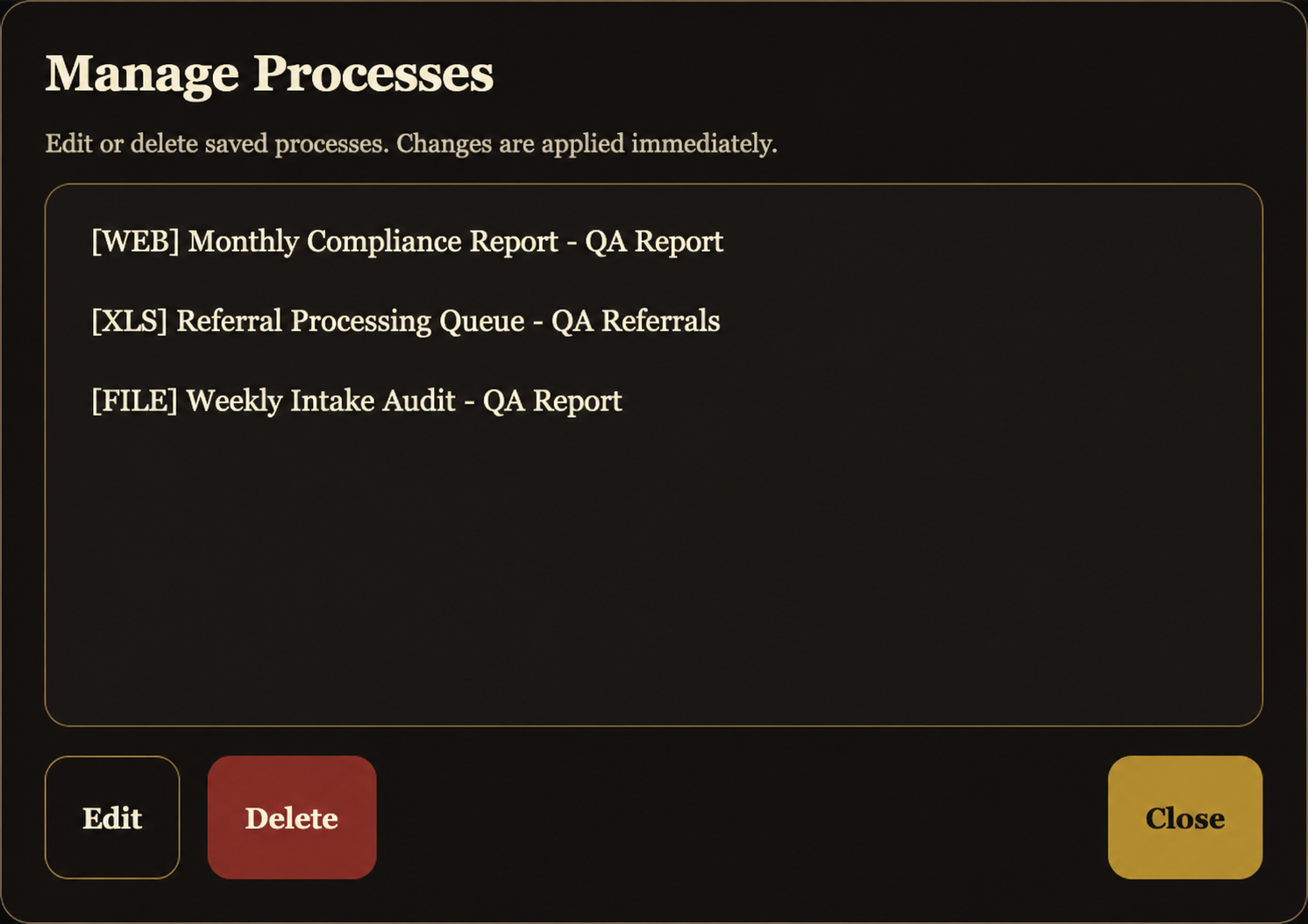
Manage saved workflows
Saved launch routines can be added, edited, and managed locally so recurring work starts from the same cleaner structure each time. Process data stays on the Windows computer running The Engineer.
Who it is for
The Engineer is for offices where recurring computer-based work is scattered across scripts, spreadsheets, shared folders, browser bookmarks, reports, and instructions that only one or two people fully understand.
Local-first by design
The Engineer runs locally on Windows as a desktop app. It does not require a cloud account, and it does not use telemetry. Workbook, script, folder, file, and URL data stays on the Windows computer running The Engineer and is not sent to Applied Process Computing, LLC. It is not an AI tool, SaaS, or cloud software.
Download the Windows release, extract the zip, then run The_Engineer.exe. Purchase the $49 lifetime license for continued use.
Download and run the app
Download the Windows release zip from GitHub.
Right-click the zip and extract the folder before opening the app.
Open the extracted folder and double-click The_Engineer.exe. Purchase the $49 lifetime license for continued use.
Lifetime license
The $49 lifetime license covers The Engineer desktop app. There is no subscription, no cloud account, and no telemetry.
Purchase
The Engineer
$49 lifetime license
Support included with the $49 license covers basic install/setup help, activation questions, usage questions, and maintenance fixes.
Request a Quote
The $49 license covers The Engineer desktop app. Workflow setup/configuration, custom workflow packs, custom changes, larger workflow work, and custom software needs are quoted separately.
Request a QuoteCommon Questions
The Engineer organizes recurring launch routines so repeated work starts from the same local Windows workspace. It can launch saved reports, folders, files, scripts, websites, apps, and tools.
Yes. The Engineer runs locally on Windows as a desktop app. It does not require a cloud account, and it does not use telemetry.
It can launch PowerShell scripts, Excel workbooks, folders, files, websites / URLs, apps, and tools so recurring work depends less on memory and scattered starting points.
No. Workbook, script, folder, file, and URL data is not sent to Applied Process Computing, LLC.
The Engineer is $49 for a lifetime license. There is no subscription and no yearly renewal.
The license covers The Engineer desktop app plus basic install/setup help, activation questions, usage questions, and maintenance fixes.
No. Workflow setup/configuration, custom workflow packs, custom changes, and larger workflow or custom software needs are quoted separately.